Image of primary brand logo

Project

Moonlight

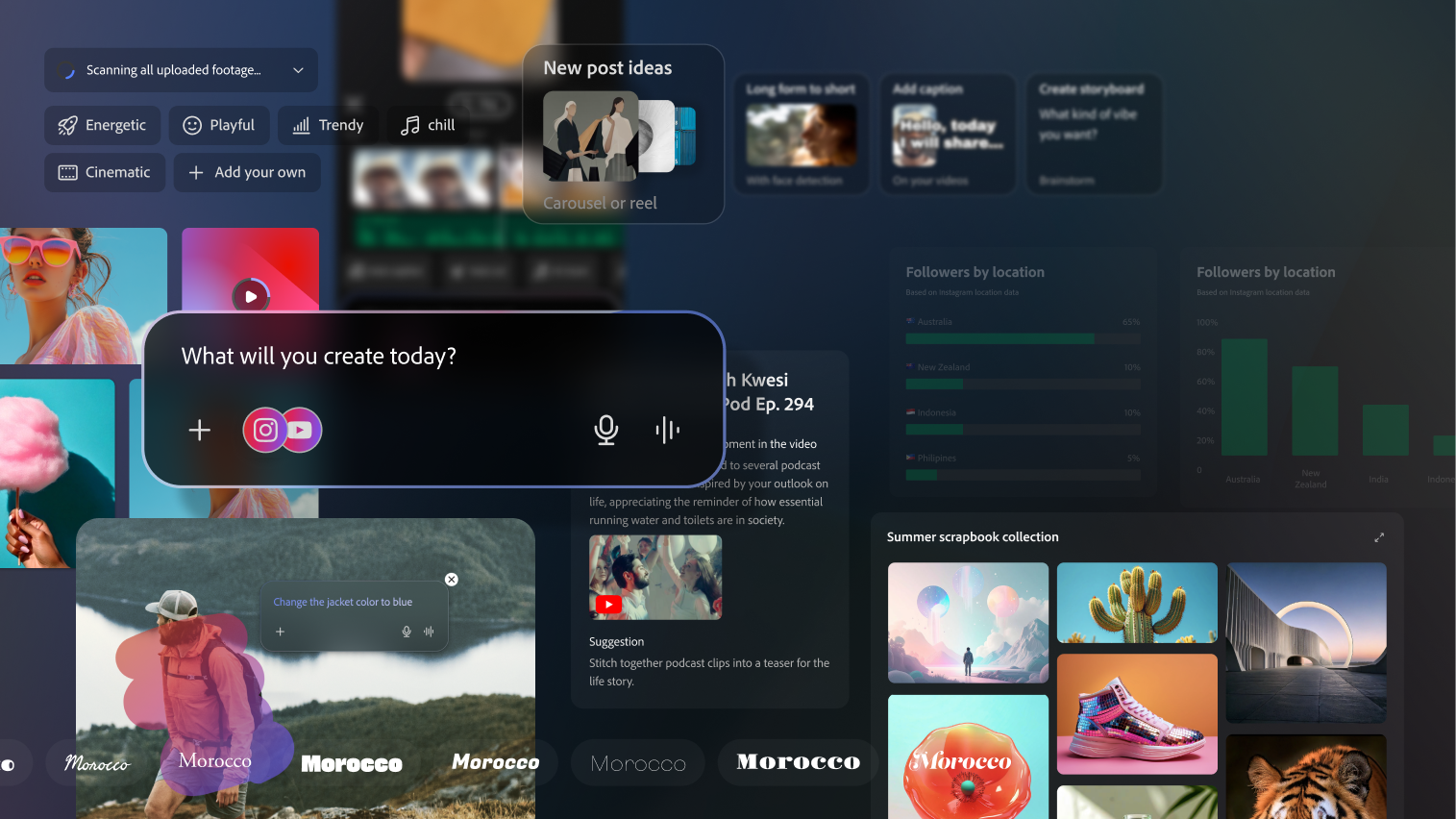
Project Moonlight is Adobe’s Agentic service (shared the concept at MAX 2025) that connects your creative work across apps into one seamless flow. Say what you want—then it generates and refines content in your style, without jumping between tools or menus. It removes tool barriers so creators can stay in flow and ship faster—from idea to finished output.

Role

Visual System

Time

9 months

Platform

Web and more

Team

4 designers

Design prototype

Once the main story is set, reviewing the end-to-end flow helps us identify gaps in interaction flow, UI necessity, and the natural progression of the experience. We use Figma to work through and validate this process.

Person sitting on couch working on laptop

Conversational UI

A well organized cont

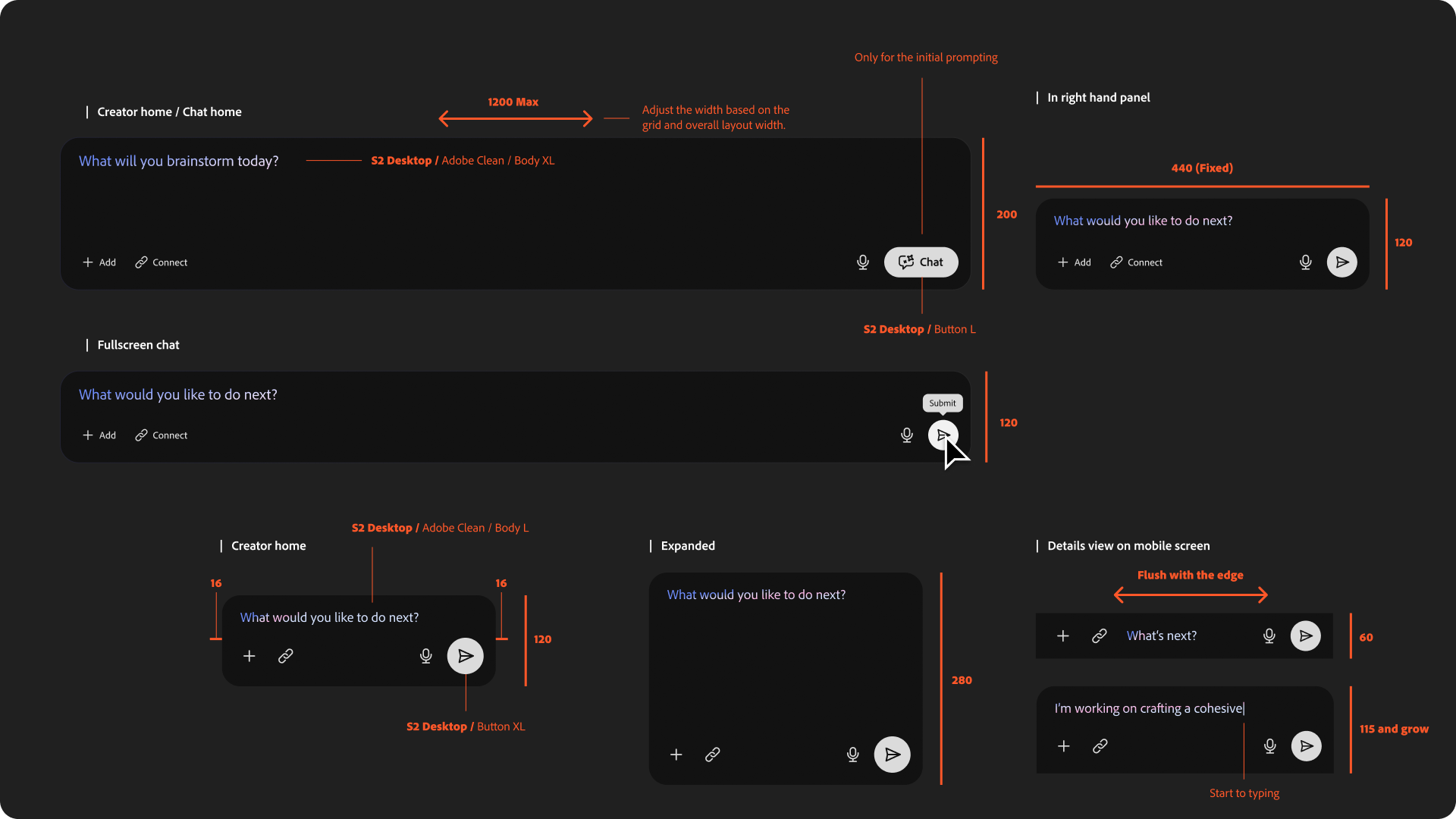
Prompt bar

The prompt bar takes various forms because it adapts to the user’s workflow. It isn’t the only way users communicate with the agent, but it remains critical.

Promotion video after MAX 2025

After the design is set, adding smooth motion is essential. Motion makes the UI feel friendly, clear, and usable. I create multiple motion prototypes to test.

Problem

Define the foundational UX and visual system for Adobe’s unified agentic service—establishing the conversation UI, how artifacts appear and behave on-screen, how users enter and navigate detail views, and a consistent visual language—so creators can move from “start easy” to “go deep” without tool barriers or fragmented experiences.

Home

Firefly Board

Project Moonlight

Project 4

Project 5

Image of primary brand logo

Project

Moonlight

Project Moonlight is Adobe’s Agentic service (shared the concept at MAX 2025) that connects your creative work across apps into one seamless flow. Say what you want—then it generates and refines content in your style, without jumping between tools or menus. It removes tool barriers so creators can stay in flow and ship faster—from idea to finished output.

Design prototype

Once the main story is set, reviewing the end-to-end flow helps us identify gaps in interaction flow, UI necessity, and the natural progression of the experience. We use Figma to work through and validate this process.

Prompt bar

The prompt bar takes various forms because it adapts to the user’s workflow. It isn’t the only way users communicate with the agent, but it remains critical.

Person sitting on couch working on laptop

Conversational UI

A well organized cont

Promotion video after MAX 2025

After the design is set, adding smooth motion is essential. Motion makes the UI feel friendly, clear, and usable. I create multiple motion prototypes to test.

Role

Visual System

Time

9 months

Platform

Web and mobile

Team

4 designers

Problem

Define the foundational UX and visual system for Adobe’s unified agentic service—establishing the conversation UI, how artifacts appear and behave on-screen, how users enter and navigate detail views, and a consistent visual language—so creators can move from “start easy” to “go deep” without tool barriers or fragmented experiences.

Home

Firefly Board

Project Moonlight

Project 4

Project 5

Image of primary brand logo

Project

Moonlight

Project Moonlight is Adobe’s Agentic service (shared the concept at MAX 2025) that connects your creative work across apps into one seamless flow. Say what you want—then it generates and refines content in your style, without jumping between tools or menus. It removes tool barriers so creators can stay in flow and ship faster—from idea to finished output.

Role

Visual System

Time

9 months

Platform

Web and more

Team

4 designers

Problem

Define the foundational UX and visual system for Adobe’s unified agentic service—establishing the conversation UI, how artifacts appear and behave on-screen, how users enter and navigate detail views, and a consistent visual language—so creators can move from “start easy” to “go deep” without tool barriers or fragmented experiences.

Design prototype

Once the main story is set, reviewing the end-to-end flow helps us identify gaps in interaction flow, UI necessity, and the natural progression of the experience. We use Figma to work through and validate this process.

Prompt bar

The prompt bar takes various forms because it adapts to the user’s workflow. It isn’t the only way users communicate with the agent, but it remains critical.

Person sitting on couch working on laptop

Conversational UI

A well organized cont

Promotion video after MAX 2025

After the design is set, adding smooth motion is essential. Motion makes the UI feel friendly, clear, and usable. I create multiple motion prototypes to test.